Address
Caochang Industrial Area, Liguang Rd, Lishui, Nanhai, Foshan, Guangdong, China
Phone:
0086-20-8938 9313
0086-757-8938 9313
Email:
Work Hours
Monday to Friday: 8AM - 10PM
24x7 online service

Address
Caochang Industrial Area, Liguang Rd, Lishui, Nanhai, Foshan, Guangdong, China
Phone:
0086-20-8938 9313
0086-757-8938 9313
Email:
Work Hours
Monday to Friday: 8AM - 10PM
24x7 online service
Custom LED Light Box & SEG Display Manufacturer
 Byadminn
Backlit fabric print resolution decides whether a light box face reads crisp or soft. Fabric printing does not need the numbers photography uses, but it has its own rules. This guide gives the working figures, the viewing-distance logic, and a short list to run before any file is sent to a printer.
Dye-sublimation printing on textile works at much lower pixel densities than paper. The ink bonds with the fibre, and the weave itself softens micro-detail. Sending a 300 dpi file for a three-metre graphic produces a file no printer can handle and no viewer can read; the useful range for large fabric faces sits far below that.
What matters is pixels at final size. A file prepared at one tenth of the physical size at ten times the scale setting produces the same pixels as a true-size file, and is far easier to build. Either route is fine; mixing them is what causes blurry prints.
Resolution errors surface after the graphic is installed, when fixing them means a reprint. The common failures are predictable.
Resolution follows distance, not format. The further the viewer stands, the fewer pixels per inch the eye can resolve, so the lighter the file can be.
| Viewing distance | Working density at final size | Typical job |
|---|---|---|
| Under 1 m | 150 dpi or more | Counter units, menu boards |
| 1–3 m | 100–150 dpi | Retail wall graphics, windows |
| 3–6 m | 70–100 dpi | Large in-store faces |
| Above 6 m | 50–70 dpi | Hanging banners, event walls |
Backlit faces read slightly softer than opaque prints because light scatters in the textile. Stay at the upper half of each range when the graphic carries small text or fine product detail.
| Vector | Raster | |
|---|---|---|
| Best for | Logos, type, flat shapes | Photography, textures, scenes |
| Scaling | Unlimited | Fixed; enlarging softens |
| File size | Small | Grows with size |
| Failure mode | Missing fonts, wrong colours | Low resolution, compression artefacts |
| Fix if wrong | Re-export with fonts outlined | Reshoot, redraw or replace the asset |
| Worth it | Skip it |
|---|---|
| Small text, product labels, wayfinding type | Large colour fields and hero images read from metres away |
| Close-viewing counter and shelf-edge units | Hanging banners above an aisle |
| Brand colour approval workflows | Short-life event graphics with loose colour tolerance |
| Photography with fine texture | Simple flat graphics with two or three colours |
Work at final size with 100–150 dpi for retail viewing distances, 70–100 dpi for large faces read from several metres, and 150 dpi or more for close-viewing counter units. Build at a clean fraction such as 1:2 or 1:4 and record the scale.
No. Dye-sublimation on textile bonds ink with the fibre and the weave softens micro-detail. Three hundred dpi at final size produces unmanageable files with no visible benefit. Set density by viewing distance instead.
Usually not well. Web assets are compressed and low in pixel dimensions. Enlarging them to wall size softens edges and shows artefacts. Ask the brand owner for the original high-resolution or vector asset.
Most often the file was upscaled, or elements were placed at mixed scales in one layout. Check that every raster image sits at 100% in the design file and that logos are vector.
A flattened PDF or TIFF at final size with bleed, plus a small JPEG proof for approval. Keep fonts outlined and note any Pantone references for colour matching.
Light scattering in the textile makes fine detail read slightly softer than on opaque prints, so stay at the upper half of the density range when the face carries small text.
A file that opens on your screen is not yet a print-ready pack. The printer needs the artwork, the scale record, the colour reference and the approval trail in one place, or the job stops at preflight and the deadline moves.
Name files by job, face size and version, for example window-north-2400×1200-v03.pdf. Put the scale in the file name and repeat it in a text note inside the pack. A folder of files called final-final-2 is how reprints happen.
Include a colour reference. List the Pantone numbers for brand colours and note which elements must match the previous run. RGB values drift between screens and dye lots, so a physical reference or a measured lab value settles the question before production rather than after delivery.
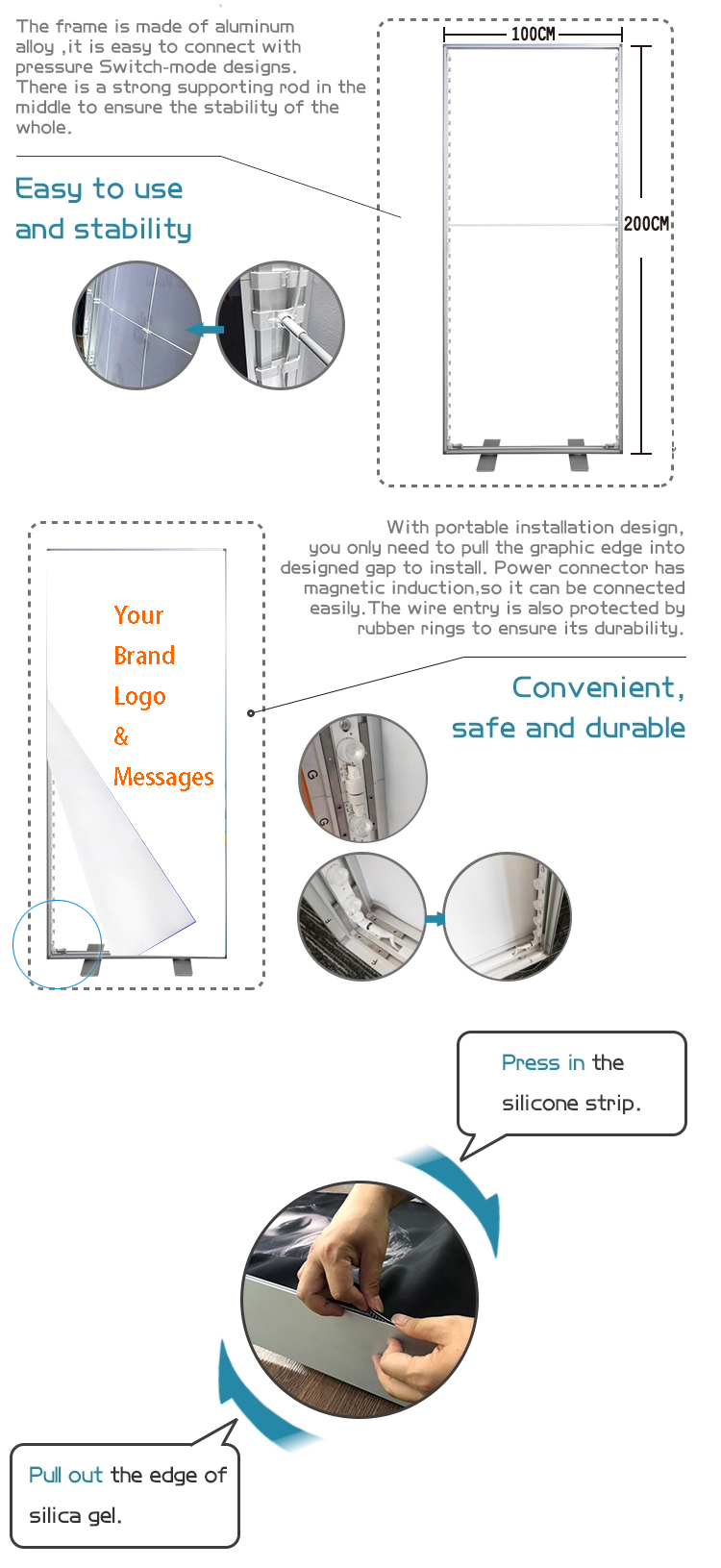
Send a low-resolution PDF proof alongside the working file. The proof is what the store manager signs, and it should show the face at final proportion with the safe area and the silicone edge marked. Approval on a proof prevents the usual dispute about a logo that sat too close to the frame.
Keep the pack with the purchase order. Reorders, replacements and a second store opening all start from the same files. Buyers who keep one folder per face spend minutes on a reorder, while buyers who rely on email search spend days rebuilding a file that already existed.
Resolution is a viewing-distance decision made at artwork stage. Build at final size or a clean fraction, keep logos vector, place raster images at 100%, and set density by how far the viewer stands. Run the five-point preflight before any file leaves your desk, because every error caught there is one reprint saved.
Send the file with the visible size and the frame spec, not just the artwork. A printer who knows the groove, the edge and the viewing distance can flag a problem before it becomes a delivered graphic.
We will reply within 2 hours.
You can also use the contact page and attach a drawing, a site photo or your artwork file.